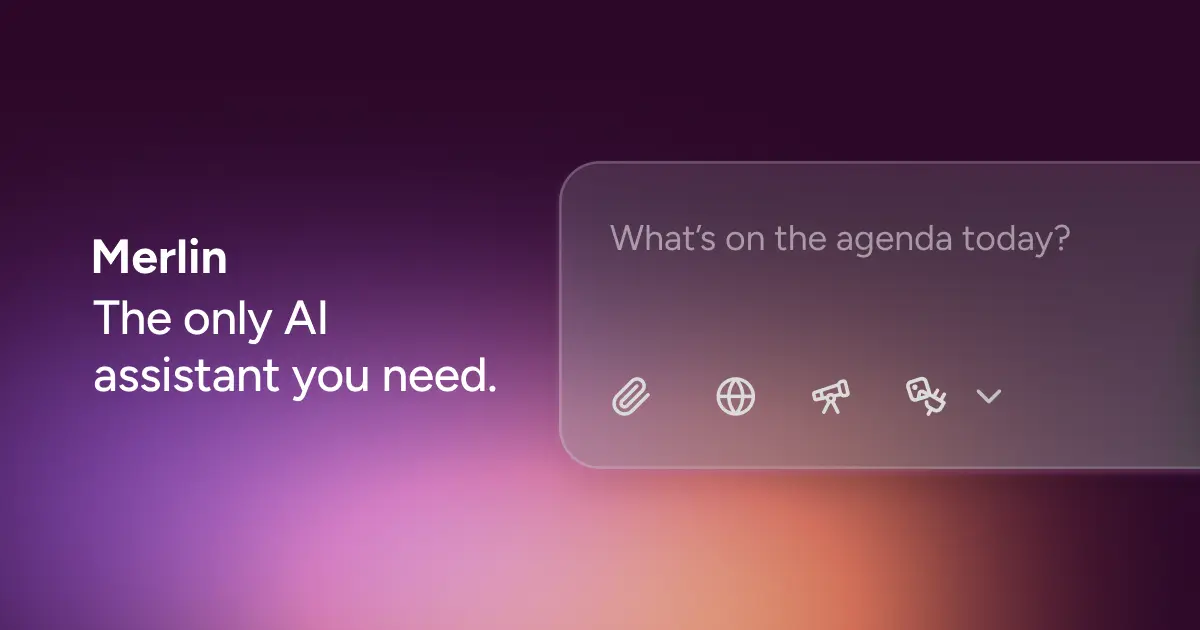
Merlin AI
By Coda One Team · Last verified: March 2026
Disclosure: Some links earn us a commission at no extra cost to you. Rankings are independent — tools cannot pay for placement.
AI browser extension bringing ChatGPT, Claude, and Gemini to any website
What is Merlin AI?
Merlin AI is a browser extension that integrates multiple large language models directly into the browsing experience, accessible via a keyboard shortcut (Cmd+M on Mac, Ctrl+M on Windows) on any website. Rather than switching tabs to use AI, users can draft, summarize, translate, rewrite, and ask questions within Gmail, LinkedIn, Twitter, Google Docs, and any other web page.
The extension provides access to multiple AI models including GPT-4, Claude, Gemini, and Mistral, allowing users to select the most suitable model for each task. It includes over 80 built-in utilities spanning AI detection, content humanization, code explanation, slide creation, and voice-to-text. Features like YouTube video summarization, webpage content chat, and document analysis let users interact with web content conversationally.
Merlin's Crafts feature generates diagrams, charts, and code from text prompts, while the Projects feature allows uploading documents or links to create a mini knowledge base for personalized AI responses. The platform also includes AI art generation using integrated Stable Diffusion models. Cross-platform support extends to Chrome, iOS, Android, and Windows.
With support for 128 languages and a generous free tier of 102 daily queries, Merlin serves as a consolidated AI workspace within the browser. The unlimited plan at $19/month provides access to all premium models for less than a single ChatGPT Plus subscription. The extension has a 3.9/5 rating on the Chrome Web Store.
Key Features
Pros & Cons
Pros
- ✓ Consolidates multiple AI model subscriptions into one affordable extension
- ✓ Generous free tier with 102 daily queries
- ✓ Works directly in browser without tab switching
- ✓ Multi-model flexibility lets users pick the best model per task
Cons
- ✗ Response quality can feel limited compared to native AI platforms
- ✗ AI occasionally loses conversation context in longer sessions
- ✗ Large number of tools can be overwhelming for new users
Ready to try Merlin AI?
See if it fits your workflow — free plan available.
Video Tutorials
Merlin AI Chrome Extension Demo
Creator Tutorial
Pricing
Free (102 queries/day); Unlimited $19/mo; Teams $15/user/mo
Free
$0
- ✓102 queries per day
- ✓Access to basic AI models
- ✓Web page summarization
- ✓Basic content generation
Unlimited
$19/mo
- ✓Unlimited AI chat with GPT-4, Claude, Gemini, Mistral
- ✓Unlimited webpage and document chat
- ✓All 80+ built-in utilities
- ✓AI art generation
- ✓Priority support
Teams
$15/user/mo
- ✓Everything in Unlimited
- ✓Minimum 5 seats
- ✓Team management features
- ✓Centralized billing
Pay with crypto using a virtual Visa card
Humanize AI content from Merlin AI
Transform AI-generated text into natural, human-sounding writing that bypasses detection tools.
Try FreeWho is Merlin AI for?
Summarizing articles, emails, and YouTube videos while browsing
Drafting and rewriting content directly in Gmail or LinkedIn
Comparing AI model responses for research tasks
Generating diagrams and code snippets from text prompts
Translating and researching content across 128 languages
Frequently Asked Questions
Is Merlin AI free?
Merlin AI offers a free tier with limited features. Free (102 queries/day); Unlimited $19/mo; Teams $15/user/mo Paid plans unlock additional capabilities.
What are Merlin AI's key features?
Merlin AI's standout features include Multi-model access to GPT-4, Claude, Gemini, and Mistral in browser, 80+ built-in AI utilities (code explainer, slide maker, AI detector), YouTube video and webpage summarization, AI art generation with Stable Diffusion. It offers 7 features in total designed for summarizing articles, emails, and youtube videos while browsing.
Can I pay for Merlin AI with cryptocurrency?
Merlin AI does not currently accept cryptocurrency directly. However, you can pay with crypto using a virtual Visa card funded by USDT, USDC, or other stablecoins.
What are the best alternatives to Merlin AI?
Popular alternatives to Merlin AI include 1min.AI, Character.ai, ChatGPT. Each offers different strengths in pricing, features, and specialization.
Do I need to sign up to use Merlin AI?
Merlin AI requires an account to access most features. If you prefer no-signup tools, browse Coda One's free tools.
Does Merlin AI work on mobile?
Merlin AI works in any modern browser on desktop, tablet, and mobile — no install required. For offline or on-device workflows, check our tool catalog for alternatives.
Is my data safe with Merlin AI?
Review Merlin AI's privacy policy at https://www.getmerlin.in for specifics on data retention. For browser-local processing (no server upload), see Coda One's PDF and image tools.
What pricing plans does Merlin AI offer?
Merlin AI offers 3 plans: Free, Unlimited, Teams. Starts at Free. Compare with Coda One's own pricing.
Can I cancel or get a refund from Merlin AI?
Cancellation and refund policies are set by Merlin AI — check their terms at https://www.getmerlin.in. Coda One's own paid plans can be cancelled anytime from your subscription dashboard.
How can I pay for Merlin AI with USDT or USDC?
Since Merlin AI does not take crypto directly, the practical route is a Coda One virtual Visa card funded by USDT/USDC, which works anywhere Visa is accepted.
Who is Merlin AI best for?
Merlin AI is most useful for Summarizing articles, emails, and YouTube videos while browsing, Drafting and rewriting content directly in Gmail or LinkedIn, Comparing AI model responses for research tasks. For related workflows, explore Coda One's AI tool catalog.
Related Tools

1min.AI
All-in-one AI platform combining chat, image, video, music, and voice in a single subscription
- 50+ AI models in one platform (GPT-4o, Claude, Gemini, DALL-E, Flux, etc.)
- Unified credit system across all AI capabilities
- Text generation with multiple LLM options
Character.ai
Create and chat with millions of AI-powered characters and personas
- Millions of user-created AI characters
- Character creation with detailed persona customization
- Long-conversation personality consistency

ChatGPT
The AI assistant that started the generative AI revolution
- GPT-4o multimodal model with text, vision, and audio
- DALL-E 3 image generation
- Code Interpreter for data analysis and visualization

Claude
Anthropic's AI assistant built for thoughtful analysis and safe, nuanced conversations
- 200K token context window for massive document processing
- Artifacts — interactive side-panel for code, docs, and visualizations
- Projects with persistent context and custom instructions
Discover More AI Tools
Weekly curated tools, scenarios, and MCP server updates.
Disclosure: Some links on this page may be affiliate links. We may earn a commission if you make a purchase through these links, at no additional cost to you. This helps support Coda One.