10 Best AI Tools for Developers in 2026 (Compared)
A developer-focused comparison of the best AI tools for software development in 2026, covering code assistants, testing, review, and DevOps.
Our Top Picks

Cursor
Freemium
AI-native code editor with deep multi-model integration and agentic coding
- AI-native Cmd+K inline editing and generation
- Composer Agent for autonomous multi-file changes
- Full codebase indexing and context awareness
- Multi-model support (GPT-4, Claude, custom models)
- Privacy Mode ensuring no code storage

Claude Code
Paid
Anthropic's agentic CLI for autonomous terminal-native coding workflows
- Terminal-native autonomous coding agent
- Full file system and shell access for multi-step tasks
- Deep codebase understanding via repository indexing
- Git workflow automation (commits, branches, PRs)
- Extended thinking for complex reasoning tasks
GitHub Copilot
Freemium
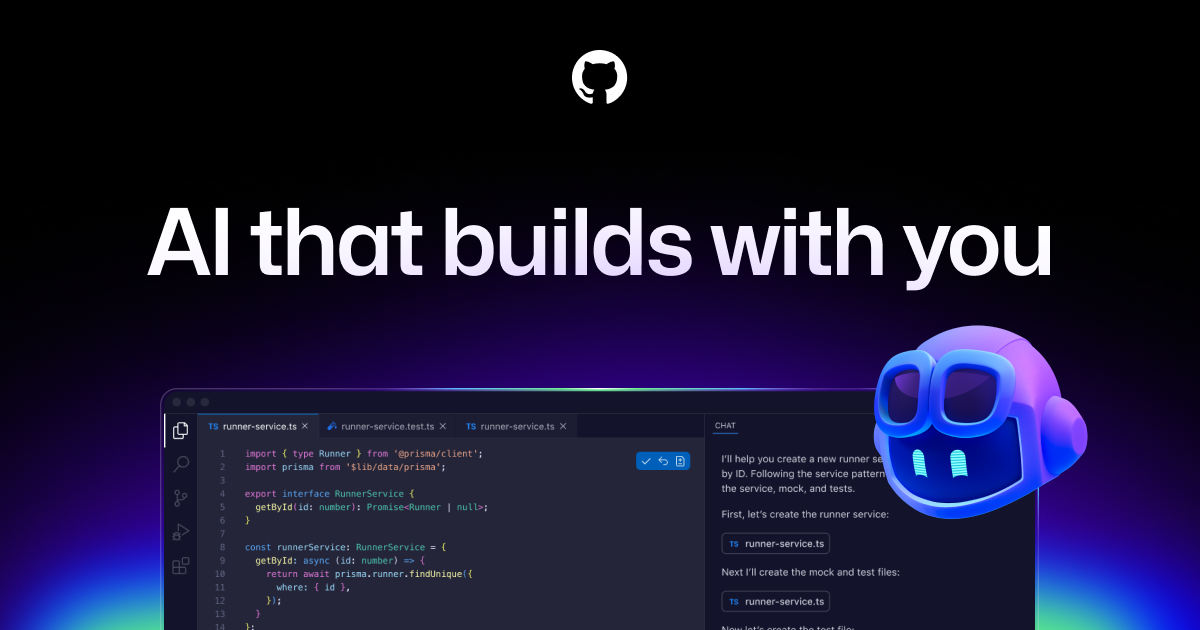
AI pair programmer that suggests code in real time across your IDE
- Real-time code completions across 30+ languages
- Copilot Chat for natural language code Q&A
- Pull request description and summary generation
- Multi-model support (GPT-4o, Claude, Gemini)
- Copilot Workspace for multi-file scaffolding

Cline
Open Source
Autonomous coding agent in VS Code with human-in-the-loop approval flow
- Human-in-the-loop approval for every action
- Multi-model support (Claude, GPT, Gemini, local models)
- File creation, editing, and deletion across projects
- Terminal command execution with output parsing
- Browser launch and interaction for testing
Windsurf
Freemium
AI-native IDE with agentic Cascade for multi-step autonomous coding
- Cascade agentic coding for multi-step autonomous tasks
- Supercomplete next-action prediction
- Flows for persistent multi-turn context
- Real-time awareness of developer editing patterns
- Terminal command execution within agent workflows

Aider
Open Source
Open-source AI pair programming CLI with git-aware multi-file editing
- Git-aware automatic commits with descriptive messages
- Multi-model support (OpenAI, Anthropic, Google, Ollama)
- Architect/editor dual-model pattern for optimized results
- Repository map for intelligent context management
- Multiple editing formats optimized per model
CodeRabbit
Freemium
AI-powered code review for GitHub and GitLab PRs with line-by-line analysis
- Automated line-by-line PR code review
- Security vulnerability and bug detection
- PR description and changelog generation
- Custom review rules and team standards
- In-PR chat for discussing AI feedback

Snyk
Freemium
AI-powered developer security platform for code, dependencies, and containers
- AI-powered static application security testing (SAST)
- Open-source dependency vulnerability scanning (SCA)
- Container image security scanning
- Infrastructure-as-code security analysis
- AI-generated fix suggestions and auto-remediation

Replit
Freemium
Browser-based IDE with AI agent for building and deploying apps from prompts
- Replit Agent for autonomous app building from prompts
- Complete browser-based IDE with terminal and database
- Instant deployment to live URLs
- Real-time multiplayer collaborative editing
- Support for 50+ programming languages
Devin
Paid
First autonomous AI software engineer with full development environment
- Fully autonomous end-to-end software development
- Sandboxed environment with shell, editor, and browser
- Asynchronous task delegation via Slack-like interface
- GitHub integration with automatic PR creation
- Multi-step planning with documentation reading
Why Developers Need AI Tools in 2026
AI has become as essential to software development as version control. Developers who leverage AI tools effectively report 30-50% productivity gains, spending less time on boilerplate code, debugging, and documentation while focusing more on architecture and creative problem-solving. The tools have matured past simple autocomplete into full agentic workflows that can plan, implement, and test features.
The developer AI toolkit now spans several categories: code editors with AI built in, terminal-based coding agents, code review automation, security scanning, and cloud development environments. The best developers use multiple tools in combination — an AI editor for day-to-day coding, an agent for complex refactoring, and automated review for quality assurance.
Our Top Picks at a Glance
Cursor offers the best AI-native coding editor experience. Claude Code excels at complex, codebase-wide tasks from the terminal. GitHub Copilot provides the broadest IDE support. CodeRabbit automates code review intelligently. Snyk catches security vulnerabilities with AI assistance.
Detailed Reviews
1. Cursor — Best AI Code Editor
Cursor has redefined what an AI code editor can be. Built on VS Code, it adds AI-powered tab completion that feels predictive, a Composer feature for multi-file changes, and inline chat for contextual questions. Its codebase indexing provides strong context awareness. The experience feels like pair programming with a capable partner. Free tier available; Pro at $20/month.
2. Claude Code — Best for Complex Codebase Tasks
Claude Code operates from the terminal, giving it unique advantages for large-scale operations. It can explore entire codebases, plan multi-step refactoring, run tests to verify changes, and work across dozens of files in a single session. Its understanding of project context and ability to self-correct make it the tool of choice for complex engineering tasks. Available through Anthropic's API plans.
3. GitHub Copilot — Best for Broad IDE Support
GitHub Copilot works in VS Code, JetBrains, Neovim, and more, making it the most universally accessible AI coding tool. Its completions are fast and contextually aware, and the agent mode handles multi-step tasks. The deep GitHub integration enables features like PR descriptions and issue-to-code workflows. Free tier with limits; Individual at $10/month.
4. Cline — Best Open Source AI Assistant
Cline provides transparent AI coding assistance as a VS Code extension. It supports any LLM provider, letting you choose your model. The tool-use approach shows exactly what the AI is reading and modifying, building confidence in its actions. The open-source nature means no vendor lock-in and community-driven improvements.
5. Windsurf — Best for AI Chat + Editor
Windsurf combines a polished code editor with deep AI integration. Its Cascade feature provides an AI chat interface that understands your codebase and can make changes directly. Strong at explaining unfamiliar code, generating tests, and navigating complex projects. A good choice for developers who prefer chat-based interaction over inline suggestions.
6. Aider — Best for Git-Integrated AI Coding
Aider works in the terminal and integrates directly with git. Every change is automatically committed with descriptive messages, creating a clean revision history. It supports many LLM providers and has a proven track record on coding benchmarks. The map of your repository helps it understand the codebase structure and make coherent cross-file changes.
7. CodeRabbit — Best for Automated Code Review
CodeRabbit automates pull request reviews with AI that understands code context, identifies bugs, suggests improvements, and checks for best practices. It integrates with GitHub and GitLab, providing review comments that are genuinely useful rather than superficial. Catches issues that human reviewers might miss due to review fatigue. Free for open source projects.
8. Snyk — Best for AI Security Scanning
Snyk uses AI to identify security vulnerabilities in your code, dependencies, and container images. It provides fix suggestions and prioritizes vulnerabilities by exploitability and reachability. Integration into CI/CD pipelines enables shift-left security practices. The developer-friendly interface makes security accessible without specialized security expertise.
9. Replit — Best for Cloud AI Development
Replit provides a complete cloud development environment with AI assistance built in. Its AI agent can build applications from natural language descriptions, and the collaborative features enable real-time pair programming. Ideal for prototyping, learning, and building web applications without local environment setup. Free tier with paid plans for more resources.
10. Devin — Best for Autonomous Coding Agent
Devin represents the most ambitious approach to AI coding — a fully autonomous software engineer that can take a task description and independently plan, implement, and test solutions. While it does not replace senior developers for complex architecture decisions, it handles well-defined implementation tasks with impressive autonomy. Best for teams that want to delegate routine development work.
How We Chose These Tools
We used each tool in real development workflows over four weeks, testing across Python, JavaScript, TypeScript, and Go projects. We measured code quality, context handling, completion accuracy, and the time saved on common development tasks including feature implementation, bug fixing, testing, and refactoring.
Key Considerations When Choosing
- Editor integration: Choose tools that work with your existing development environment
- Model flexibility: Tools that support multiple LLM providers give you more control over cost and quality
- Context handling: The ability to understand your full codebase dramatically affects output quality
- Privacy and IP: Understand where your code is sent and how it is stored
- Team features: Larger teams benefit from shared configurations and organizational controls
- Cost at scale: Per-seat pricing adds up; evaluate total team cost against productivity gains
- Specialization: Consider specialized tools for review, security, and testing alongside your primary coding assistant
Subscribe to these tools with crypto
Use your Coda One virtual card to pay for any AI tool subscription with USDT, USDC, or BTC.
Get Your CardFrequently Asked Questions
Which AI coding tool should I start with?
Start with GitHub Copilot if you want broad IDE support with minimal setup, or Cursor if you want the most AI-native editing experience. Both offer free tiers to try before committing. If you prefer terminal workflows, Aider is an excellent free option.
Do AI coding tools work with all programming languages?
The major tools (Copilot, Cursor, Claude Code) work well with popular languages like Python, JavaScript, TypeScript, Go, and Rust. Support for niche languages varies. Performance is generally best in languages well-represented in training data.
Should I worry about AI coding tools leaking my code?
Legitimate concerns. Review each tool's data policy. Most enterprise plans guarantee code is not used for training. Cline and Aider let you choose your LLM provider, giving you control over where code is sent. For sensitive codebases, self-hosted options or enterprise plans with data guarantees are recommended.
Disclosure: Some links on this page may be affiliate links. We may earn a commission if you make a purchase through these links, at no additional cost to you.